[2026 Edition]Complete Guide to Touch 'n Go in Malaysia| Registration, How to Use & Top-Up Methods
The complete guide to Touch 'n Go — essential for living in or visiting Malaysia! We explain in easy-to-understand terms for first-timers: why Japanese users often get stuck during the initial eWallet setup, tips for identity verification, how to buy an NFC card, top-up methods, and how to ride the train.
- What is Touch 'n Go? The difference between the card and the app
- 5 common stumbling blocks during initial setup and how to solve them
- What to do when you don't receive a verification code during registration
- Top-up (reload) methods summary
- Basic usage: QR payments, trains, and highways
- Can you still use it while temporarily back in Japan?
- Frequently Asked Questions (FAQ)
What is Touch 'n Go?The difference between the card and the app
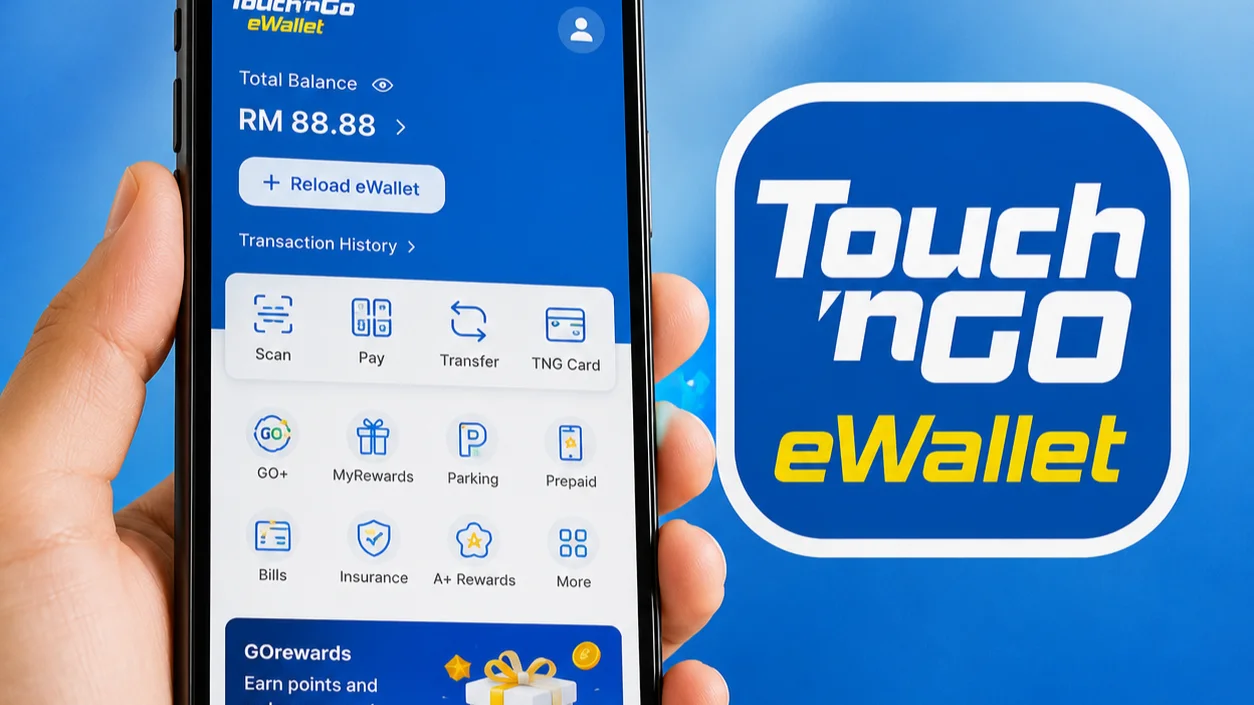
Touch 'n Go is Malaysia's largest electronic payment system, running since 1997. Think of it as a physical transit card (like Suica) + a smartphone payment app (like PayPay)all under one brand.
Even if you register your physical card in the app, the balances are not shared. Use the app balance for QR code payments, and the card balance for trains and buses.
| Physical Card | eWallet (App) | |
|---|---|---|
| Main uses | Trains, buses, highways, parking | QR payments, utility bills, online |
| Top-up | Stations, convenience stores (older card type) Via app (new NFC card type only) |
Handled entirely within the app |
| Where balance is stored | On the card | In the app wallet |
| Issuance fee | RM10 | Free |
5 points where people get stuck during initial setup5 key pointsand solutions
Many people say "It looks easy but I can't get it set up" — that's TNG for you. First get a grasp of the overall flow, then we'll go through the steps where people tend to get stuck.
Overall flow for eWallet registration
5 common stumbling blocks
When creating an account, you need to receive a one-time password (OTP) via SMS or WhatsApp, but Japanese phone numbers (+81) are not supported.
Once you arrive in Malaysia, purchase a local SIM first. You can buy one at the airport, convenience stores at LRT stations, or shopping malls. A prepaid SIM is active the same day.
Immediately after registration, the wallet's Balance limit is RM200 due to not having completed eKYC (electronic identity verification).
Complete eKYC via "Account Verification" in the app. Foreigners need to submit the photo page of their passport and a selfie. Once completed, the limit increases to RM5,000.
In most cases, credit and debit cards issued in Japan are not supported for topping up the TNG eWallet.
If you don't have a local bank account, using a Wise debit card is the smoothest option. You can also use a Reload PIN purchased with cash at a convenience store.
The TNG eWallet UI is primarily in English, Malay, and Chinese — there is no Japanese support. If you are not comfortable with English, it's easy to get lost on the registration screen.
The steps needed for registration are simple, involving only buttons like "Next", "Submit", and "Verify". It's reassuring to save a screenshot-based guide on your phone in advance.
Physical cards come in older models (without NFC support) and newer NFC-compatible models. Older cards do not support top-up via the app.
It is recommended to purchase a new NFC-compatible card at the official Touch 'n Go HUB located inside Nu Sentral, directly connected to KL Sentral station. Issuance fee: RM10.
What to do when your verification code during registrationdoesn't arrive
The cause is almost always the same. Check in the following order and it will usually be resolved.
Order of steps to try
- ✓ Confirm WhatsApp is set up
- ✓ Wait a few minutes, then resend once
- ✓ Restart the app and try again
- ✓ Reinsert your SIM and check your internet connection
Reload (Top-Up)Methods Summary
Topping up the TNG eWallet is called "Reload" in English. Here is a summary of the methods available depending on your situation.
| Method | Fee | Best for |
|---|---|---|
| Malaysia-issued debit card | Free | Those who have already opened a local bank account (most cost-effective) |
| Malaysia-issued credit card | 1% | Those with a local credit card (more expensive than debit) |
| Wise debit card | Wise fees only | Those who don't have a local bank account yet / newcomers |
| Banking app (DuitNow transfer) | Free | Those with a Malaysian bank account |
| Reload PIN (purchased at convenience stores) | Free | Those who prefer cash / don't want to use a card |
A top-up PIN code available for purchase at convenience stores such as 7-Eleven, 99 Speedmart, and KK Super Mart. Simply buy it with cash and enter it in the app.
Buy a local SIM → Set up WhatsApp → Register for TNG → Top up a small amount with a Reload PIN → Link Wise later
Basic usage:QR payments, trains, and highways
Get a quick overview of how to use it in each everyday situation.
① QR Code Payment
Available at supermarkets, convenience stores, restaurants, and hawker stalls. Simply tap the "Pay / Scan" button in the app and scan the QR code.
② Train & Bus
For LRT, MRT, KTM, Monorail, and bus services, tap your physical card. Cash is not accepted on Rapid KL buses, so a card is essential. The app alone cannot be used to board.
③ Highway
Stick an RFID sticker on your windscreen and link it to your eWallet for non-stop toll passage. Stickers can be purchased within the app or on Shopee.
How to Pay by QR Code
Can it be used when temporarily returning to Japan?
If you have an account registered in Malaysia with eKYC completed, you can use it in Japan as well.
Since PayPay became compatible with Alipay, TNG eWallet can also be used at stores that accept Alipay. Acceptance is expanding at Don Quijote, some convenience stores, restaurants, and more. Look for "Alipay OK" or "Touch n Go OK" stickers.
The balance is automatically converted at the exchange rate at the time of payment. It's a good idea to decide whether to use up your balance before returning home.
Frequently AskedQuestions
Can foreigners complete eKYC?
Can I use GO+ (interest service)?
What happens if I lose my card?
My eKYC keeps failing. How can I get it to pass?
Is there a fee for topping up with a credit card?
If you know the common pitfalls in advance,there's nothing to worry about
- ✓ A Malaysian phone number (local SIM) is required for registration. A Japanese number cannot be used.
- ✓ If you don't receive the OTP, checking your WhatsApp settings and waiting a few minutes is effective.
- ✓ Completing eKYC expands your balance limit from RM200 → RM5,000
- ✓ Topping up with a Wise debit card or Reload PIN is convenient (no local bank account needed)
- ✓ The card and eWallet have separate balances. Use the card for trains and buses; use the app for QR payments
- ✓ If registered in Malaysia, you can also use it at Alipay-compatible stores in Japan
Also check out
- ✓ Complete Grab Guide — for getting around
- ✓ Bank Account Opening Guide — for setting up an account to top up from